Dynamic Layout Handling in Web-Based EHR Interfaces
Agents fail silently when healthcare interfaces change without warning.
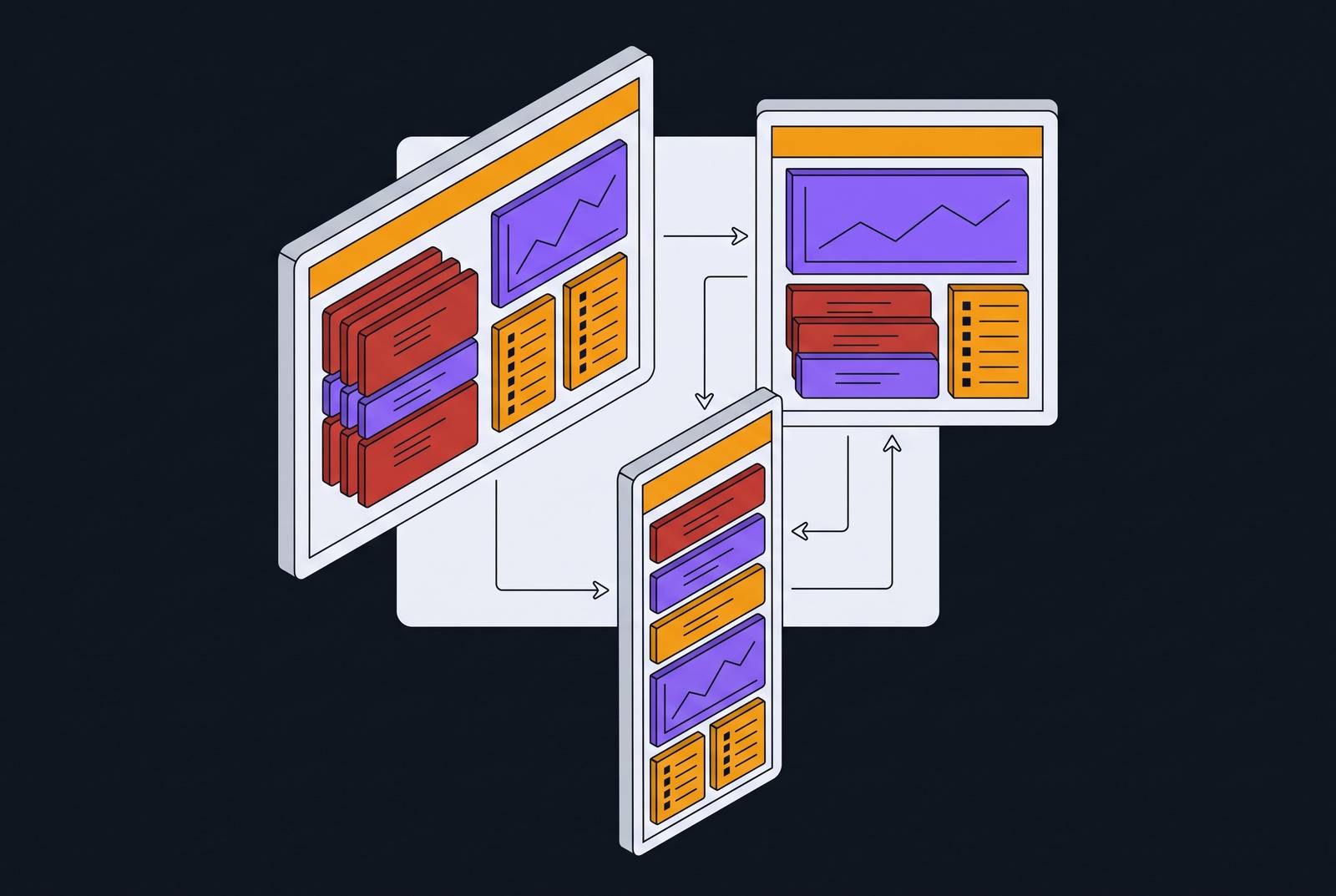
Web-based EHR interfaces don't sit still. A screen can look different depending on which patient chart is open, which role logged in, whether a session timed out ten minutes ago, or whether the vendor pushed an update overnight without telling anyone. Whether a computer-use agent can succeed in this environment comes down to one question: can it tell when the screen has changed underneath it, and can it recover without falling over. Most vendors selling agents into healthcare right now cannot answer that question honestly, and that gap, not raw task accuracy, is what separates a demo from something a billing department can actually run.
The software an agent has to cross isn't limited to the EHR, either. Payer portals, fax systems, and third-party scheduling tools all sit in the same workflow, and each updates on its own schedule. Payer portals in particular have a reputation for moving form fields, restructuring navigation, and changing submission flows with no warning to the practices that rely on them. HealthAdminBench, a benchmark built around this exact problem, tests agents across four environments: an EHR, two payer portals, and a fax system, reflecting the full, payer-facing shape of revenue cycle work.
What computer-use agents do when they read a screen
A computer-use agent (CUA) doesn't call an API or pull a structured data feed. It looks at a screen the way a front-desk staffer would: it reads what's displayed, clicks buttons, types into fields, and moves from page to page based on what it sees. A mechanical loop drives that behavior and repeats constantly. The agent takes a screenshot, a vision-capable model interprets what's in it, a planning layer decides the next move, the agent executes that move, and the cycle starts again.
Several named approaches show how this loop gets built out in practice. OpenAI's Computer-Using Agent pairs GPT-4o's vision with reasoning trained through reinforcement learning, so it can interpret a screenshot and act on a graphical interface. Anthropic gives Claude a defined set of tools plus an agentic loop that lets it operate a computer directly. Aguvis is a vision-only framework meant to work across different platforms without platform-specific rules. OmniParser takes a different angle, parsing the screen into structured elements first, so the agent isn't reasoning over raw pixels alone. UI-TARS combines perception, reasoning, grounding, and memory into a single vision-language model built for end-to-end GUI automation.
Against older robotic process automation, the distinction is structural, and it's the whole reason CUAs exist. RPA locks onto a fixed element ID or a set of screen coordinates: click at that exact point, every time, forever, until someone moves the button and the whole script breaks. A CUA reads the screen as an image and reasons about what's in it, so when a button moves, it has a real chance of finding it again. Whether that chance turns into reliable behavior in production, at scale, across months of payer portal updates, is a separate matter entirely, and it's the one this piece is actually about.
How layout variability breaks agents in production
Four kinds of layout change do most of the damage. Patient-context-conditional fields are the first: a form section that appears only for certain diagnoses, insurance types, or visit categories, so an agent trained against one patient scenario may never encounter the version of the form it needs for another. Role-gated UI panels are the second: a front-desk login and a billing login can show completely different versions of the same screen, and an agent credentialed at one level may hit a stripped-down interface missing elements it expected to click.
Browser-state dependencies cause a different kind of failure. Session timeouts, cached page states, pop-up dialogs, and re-authentication prompts can interrupt a workflow mid-sequence, with no warning that the interface just changed shape. Then there are unannounced software updates: EHR vendors and payer portals push interface changes on their own timeline, with no coordination with the practices using them or the automation vendors sitting on top. An agent that worked cleanly on Tuesday can fail the identical task on Wednesday, for no reason visible from the practice's side.
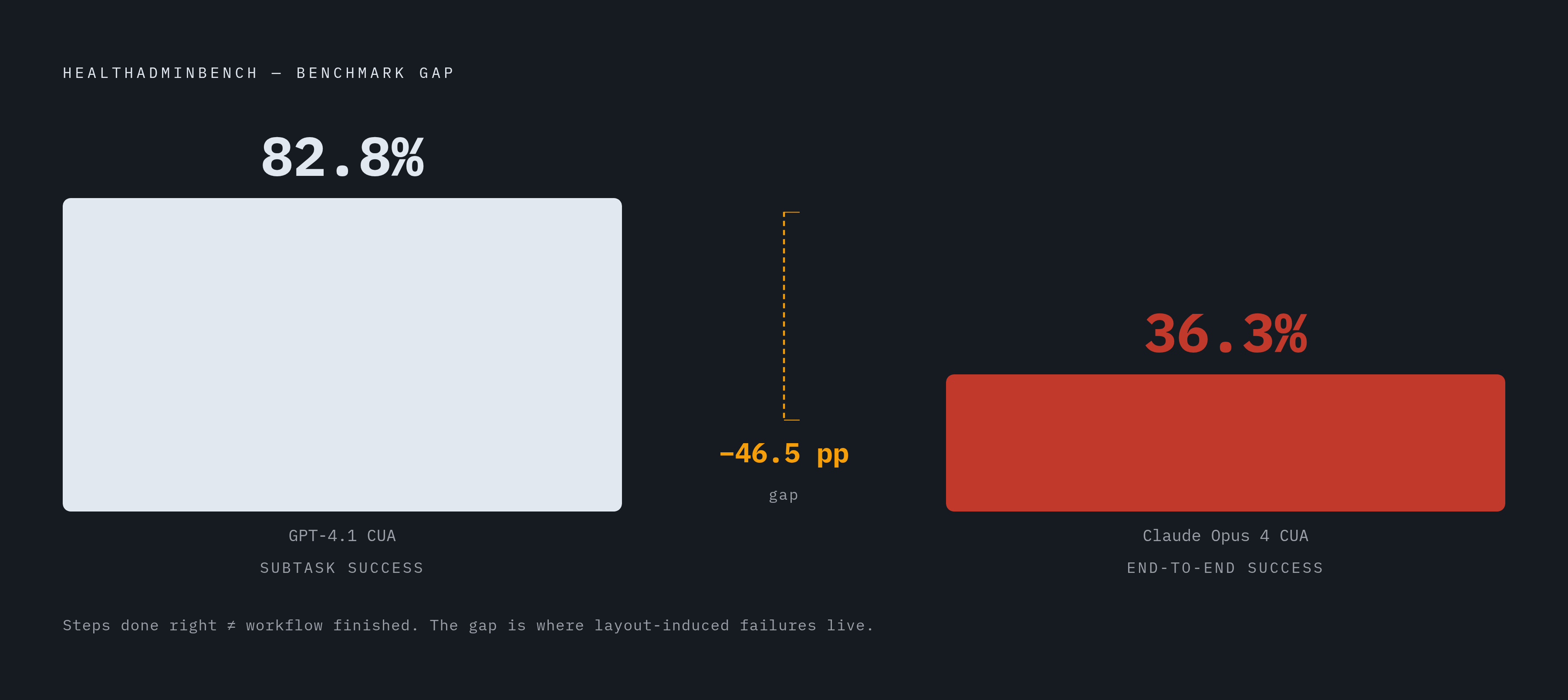
The real damage is the cascade. In a multi-step workflow like prior authorization, a misread element early in the sequence corrupts everything downstream, and the agent keeps going, completing later subtasks with total confidence, while the end result is wrong. HealthAdminBench puts a number on this. Across 135 expert-defined tasks and 1,698 evaluation points, Claude Opus 4.6 CUA hit only 36.3% end-to-end task success, while GPT-5.4 CUA reached 82.8% success at the subtask level across the benchmark. The gap between doing most of the steps right and finishing the job is exactly where layout-induced failure lives.
That gap is more dangerous than an agent that fails. An agent that completes most of a workflow and quietly botches the remainder produces a record that looks finished but isn't, and a human downstream has to untangle it without knowing anything went wrong. A clean failure gets caught. A confident, silent, partial failure doesn't, and it costs more to fix than doing the task by hand would have.
Detection strategies: how well-designed agents recognize that a layout has changed
The first job of a well-built agent is knowing when the screen doesn't match what it expected, and stopping before it acts on a bad assumption. Most failures in this category are the absence of a checkpoint. They're the absence of a checkpoint.
Visual grounding and element verification is one layer of defense. Agents built like OmniParser break the screen into structured elements before deciding what to click, which puts a checkpoint between "there's a button here" and "click this specific button." That checkpoint cuts down on blind reliance on position alone. A second layer comes from confidence thresholds and self-assessment: architectures with a reflection step check whether the last action actually produced the intended result, catching a form submission that silently failed to advance the workflow, and escalating instead of barreling ahead.
Contextual anchoring rounds this out. Instead of trusting that a field always sits in the same spot, a well-designed agent locates a target using the label text above the field, the section header, and the shape of the surrounding form. That way it can find the field again even after it's moved somewhere else on the page.
Adaptation strategies: re-routing around layout changes mid-task
Detecting a change is only half the job. What the agent does next decides whether the task recovers or dies right there.
Re-exploration is the most direct response: when an expected element isn't where the agent thought it would be, a resilient agent runs a fresh parse of the whole screen instead of giving up. That treats every run as a new environment rather than assuming last time's layout still holds. Task decomposition supports this at a structural level. HealthAdminBench's design, with 1,698 fine-grained evaluation points across its 135 tasks, reflects a real engineering principle: verify each subtask before starting the next one, and a layout failure at step four doesn't wipe out the correct work done in steps one through three. Recovery picks up from the last verified checkpoint instead of starting over.
Prompt-level adaptation is a subtler tool. Agents that vary how an instruction gets framed, rather than sticking to one fixed prompt, can sometimes work around an interface change that would stump a rigid single-prompt setup. HealthAdminBench evaluates agents "under multiple prompting and observation settings," and that design choice alone signals that prompt diversity moves the outcome enough to be worth measuring.
None of this is a one-time fix. Payer portals change on a cadence the practice doesn't control, so adaptation has to run continuously, not get bolted on once and left alone. A durable agent needs some way of noticing drift over time, before a failure has already happened downstream.
The administrative workflows at highest risk for dynamic layout handling
Prior authorization carries the highest stakes of any workflow in this category, and it isn't close. Payer portal structures shift whenever payer policy shifts, which is often, and a prior auth submitted to the wrong field, or missing a conditional section a layout change hid, doesn't just produce an error. It produces a denial. That means a delayed treatment and a second round of work to fix. HealthAdminBench treats prior authorization as one of its three core task types for exactly that reason.
Appeals and denials management is the second core task type, and the stakes are just as concrete. One health system cut its claims appeals process from 15 to 16 days down to 1 to 2 days using an agent that reads the denial letter, assembles the corrected documentation, and routes it for clinical review. That result holds only as long as the agent correctly reads the denial letter's current format, and payers change those formats on their own schedule, without asking anyone. DME order processing is the third core task type, and it comes with its own complication: it requires navigating both the EHR side and the payer side, and neither system owes the other a coordinated update.
Other workflows outside HealthAdminBench's three core task types face similar compounding risks. Any workflow that spans multiple interface types, each updating on its own schedule, amplifies the layout variability problem, because a failure in any single system can stall the entire chain with no obvious intervention point.
The benchmark gap and deployment readiness
The HealthAdminBench numbers tell a split story: Claude Opus 4.6 CUA reached 36.3% end-to-end task success, while GPT-5.4 CUA led on subtask success at 82.8%, two different agents, measured on two different dimensions. The gap between those figures is the number that matters, full stop. High subtask scores say agents get most individual steps right. Low end-to-end scores say they still fail to finish whole workflows, and in production, an incomplete workflow is the failure mode that costs a practice time and money.
HealthAdminBench itself is not the only effort in this space, and the presence of parallel measurement initiatives says something on its own: enough people in the research community consider this problem serious and unsolved that more than one group is independently trying to measure it, from different angles, at the same time.
Even these numbers likely overstate real-world reliability. HealthAdminBench runs in realistic but controlled environments. Live payer portals bring noise that controlled benchmarks don't fully reproduce: authentication flows, session timeouts, rate limiting, unexpected pop-ups that a benchmark author never scripted for. So the honest read on the gap between benchmark and deployment runs one direction only, and it's the uncomfortable one: production reliability is lower than the benchmark numbers suggest, not higher.
What to look for in an agent built to handle dynamic interfaces
Ask a vendor one question before any other: what does this agent do when the interface it's looking at has changed since the last time it ran? That single question shifts the whole evaluation from compatibility to resilience, the property that actually keeps the thing working six months from now, long after the sales demo is over.
A handful of concrete things deserve direct probing. Does the agent verify each step before moving to the next one, or does it run a fixed sequence regardless of what's actually on screen? Can it notice a layout change mid-task and hand off to a human with the task state intact, so staff aren't starting from a blank page? How does the vendor handle payer portal updates specifically, meaning is there a defined process for catching drift, and how long does recovery take once it's caught? Is the agent trained against one fixed snapshot of an interface, or built on visual reasoning general enough to handle variations it hasn't seen yet?
Workflow scope affects reliability more than accuracy on any single task taken alone. An agent that handles the entire prior authorization workflow, including the payer portal submission, the EHR update, and an escalation path if the portal times out, holds up better in practice than one that only automates EHR-side data entry and leaves the portal interaction to staff. Deployment timeline is its own tell: an agent that needs months of configuration tuned to one specific EHR version is, by construction, more brittle to layout change than one that goes live in weeks without interface-specific hard-coding. Speed to deployment is an architecture disclosure here. It's an architecture disclosure, whether the vendor means it that way or not.